


Continuing Education Program
The Continuing Education (CE) Program is a mandatory requirement under the Professional Governance Act for all practising registrants in British Columbia who hold practice rights. This includes individuals licensed as P.Eng., P.Geo., P.L.Eng., or P.L.Geo. The program ensures that registrants maintain professional competency throughout their careers by supporting ongoing development and helping them stay current with evolving standards, technologies, and expectations in their area(s) of practice.
Further information about program requirements is outlined below. For even more details about the CE Program, please refer to the following resources:
- Guide to the Continuing Education Program: outlines the full details of the CE Program as defined in the Engineers and Geoscientists BC Bylaws.
- Introduction to the Continuing Education Program: a brief overview video available in the Knowledge Centre.
Continuing Education Program Requirements
Practising registrants must complete the required continuing education activities in their online account within the current reporting year, which runs from July 1 and June 30. Requirements may vary based on your designation and practising status.
Click the + icon next to each requirement for more details.
CE Requirements
-
1. Record 1 CE Hour of ethical learning
Requirement:
Each reporting year (July 1 to June 30), practising registrants must complete and record at least one hour of ethical learning in the CE Reporting System. There is no prescribed module—choose a topic related to your work or area of practice.
See Examples of Ethical Learning ActivitiesTiming:
This requirement can be fulfilled at any time during the 12-month reporting period.
Need Help?
For guidance on how to record your activity, please review FAQ 5. How do I record CE activities (CE Hours) into the Reporting System?
For full details, consult the Guide to the Continuing Education Program.
-
2. Complete the Regulatory Learning Module
Requirement:
Each year, practising registrants must complete the Regulatory Learning Module for the current reporting year in the Knowledge Centre. A new module is developed annually on a different topic and cannot be substituted with other regulatory learning activities.
Access the Module:
2026-2027 Quality Management
These modules help registrants stay informed about important regulations. At least once every three years, a module will focus on Indigenous history, engagement, and reconciliation.Prior module topics include:
- 2025-2026: Indigenous Awareness
- 2024-2025: Duty to Report
- 2023-2024: Climate Change & Sustainability
- 2022-2023: Truth & Reconciliation
- 2021-2022: The PGA
Timing:
This requirement can be completed at any time between July 1 and June 30 of the reporting year.
Recording CE Hours for this Module
To record the Regulatory Learning Module in your CE Reporting System:
- Click Add to Collection and log in if prompted.
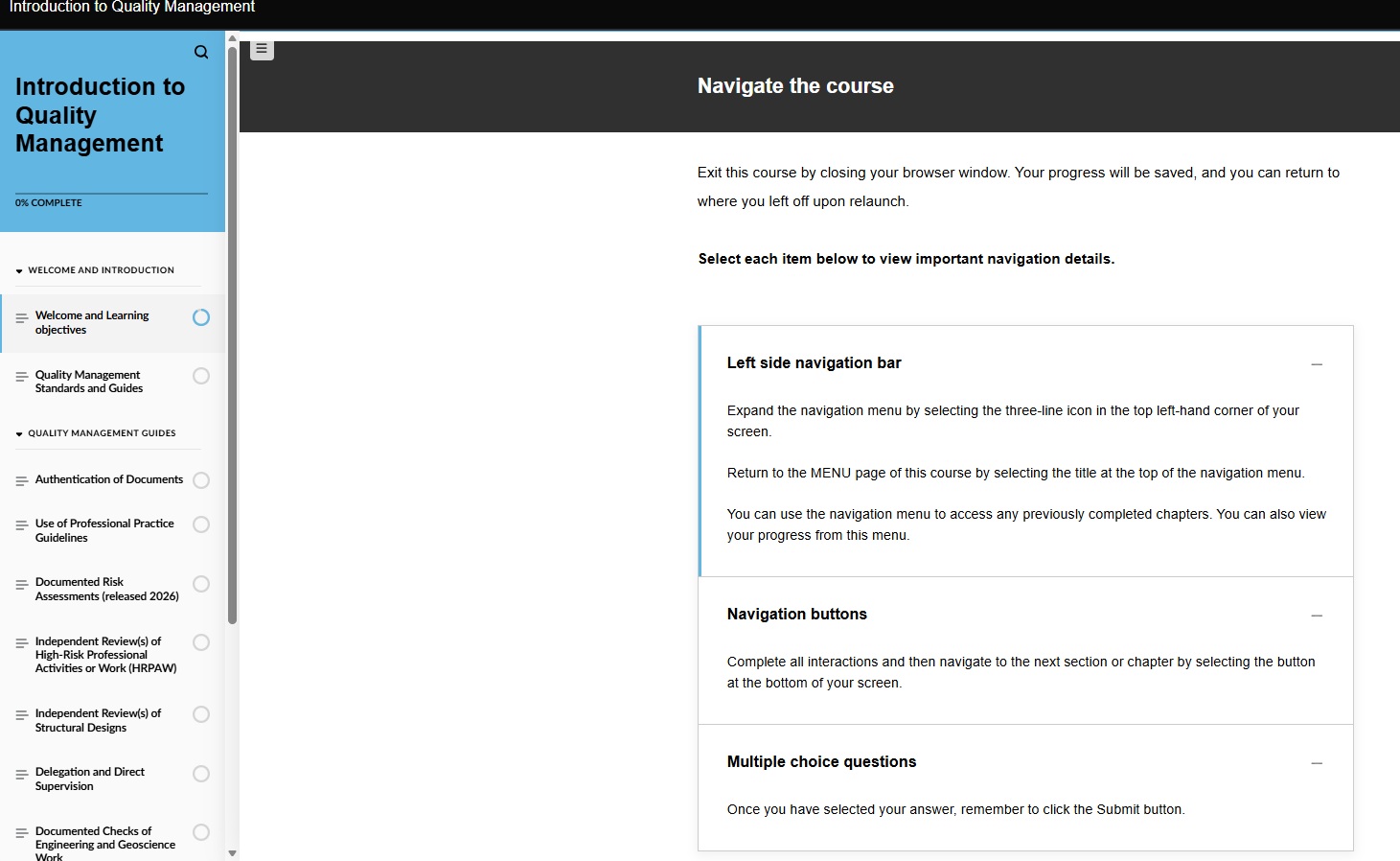
- Click Launch Course. Complete the full course, including knowledge checks, and ensure you reach the completion message at the end of the course. You are able to complete the course over multiple sessions; simply close the course when required and when you relaunch the course, you can pick up where you left off in your previous session.
- Once you've finished the course, navigate back to the course page in the Knowledge Centre, ensure you are logged in, and refresh the page to see the status box marked as completed. Once you see this, your Regulatory Learning requirement will be marked as complete in the CE Reporting System.
Troubleshooting Tips:
The annual Regulatory Learning Module is compatible with Microsoft Edge, Google Chrome (mobile and desktop), Mozilla Firefox, Internet Explorer 11, Safari (mobile and Mac), Opera, and Vivaldi. The module is intended to be viewable on any device, such as a desktop, laptop, tablet, or mobile. The module also supports the use of the following accessibility tools: NVDA, JAWS, Narrator, VoiceOver, and TalkBack. Font size alone is not adjustable. The main body text is set to 17px; the font size and other elements of the course will respond automatically to best fit your device's screen.If you are completing this module on a work computer, some videos may be unable to be viewed due to departmental/IT programming. We recommend checking the anti-virus software and either allowing permissions personally or consulting your office's IT department. If you are still unable to view the module, try another device not linked to an office network. If further problems persist, please contact us at [email protected].
Watch this video for guidance on how to access the Knowledge Centre and complete the module.
Click on the thumbnail image below for help navigating the learning module.
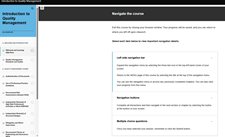
Click image to expandFor full details, consult the Guide to the Continuing Education Program.
-
3. Create a Continuing Education (CE) Plan
Requirement:
Each year, practising registrants must create a CE Plan that:
- Identifies their area(s) of practice
- Assesses the risks associated with their practice
- Outlines learning goals and the activities planned to meet them
Your CE Plan is marked “Complete” once you submit the CE Plan declaration as part of your Annual Reporting.
Download Templates and Sample CE PlansImportant:
Save your CE Plan to your personal computer or cloud storage for at least 10 years. CE Plans are not uploaded to the CE Reporting System and are only required during an Individual Compliance Audit or Practice Review.
Timing:
You can create your CE Plan at any time during the reporting year (July 1 to June 30). To avoid gaps between plans, it’s recommended to complete it around the same time each year.
Why It Matters:
A written CE Plan helps you:
- Identify knowledge gaps
- Choose learning activities that are relevant and valuable
- Engage in meaningful discussions with peers and employers about your professional development
Need Help?
- Watch the embedded video below for step-by-step guidance on completing your CE Plan.
- For a more in-depth walkthrough, please watch how to create a high-quality CE Plan aligned with program requirements.
For full details, consult the Guide to the Continuing Education Program.
-
4. Complete 60 CE Hours of learning activities
Requirement:
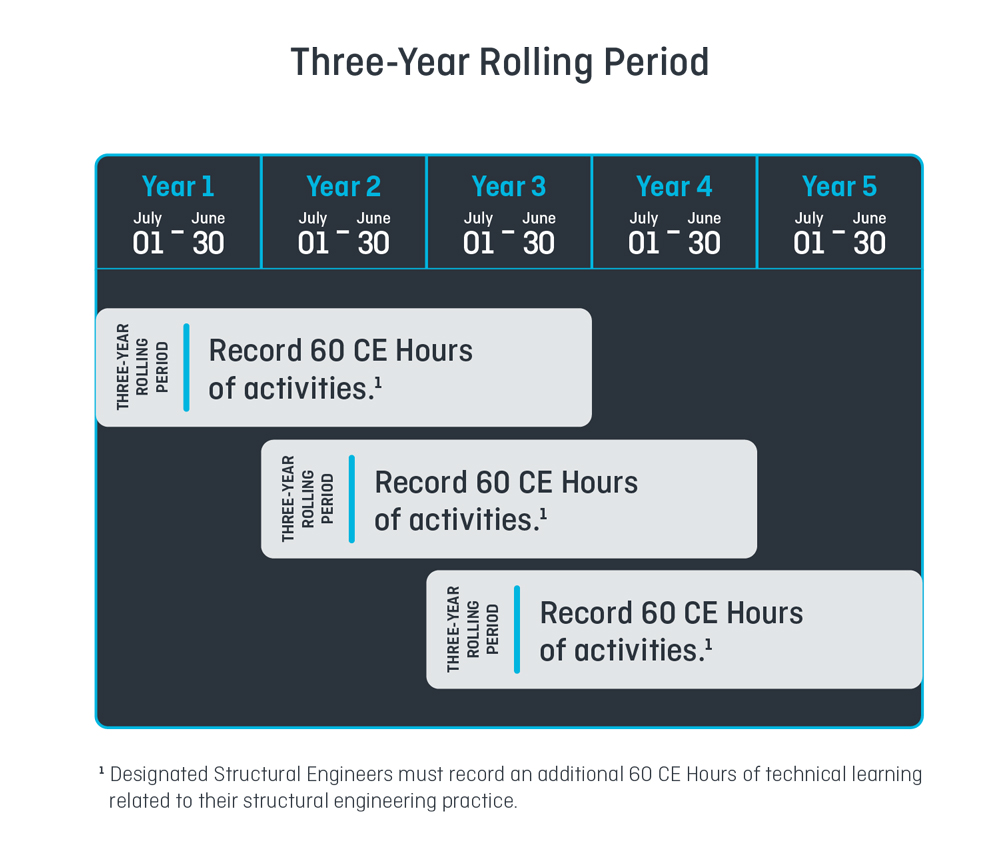
Practising registrants must complete at least 60 Continuing Education (CE) Hours over each three-year rolling period. Each learning activity must be recorded in the CE Reporting System.
Timing:
You can record activities at any time during the reporting year (July 1 to June 30). You may also enter activities from the previous two reporting years within the current three-year period.
Choosing CE Activities:
Select activities that help you meet the learning goals outlined in your CE Plan and maintain your professional competency in your area(s) of practice.
You decide how to divide the 60 hours across the three years and how to balance activities across the four learning areas:
- Regulatory
- Ethical
- Technical
- Communications and Leadership
Note: Professional practice hours do not count toward CE Hours.
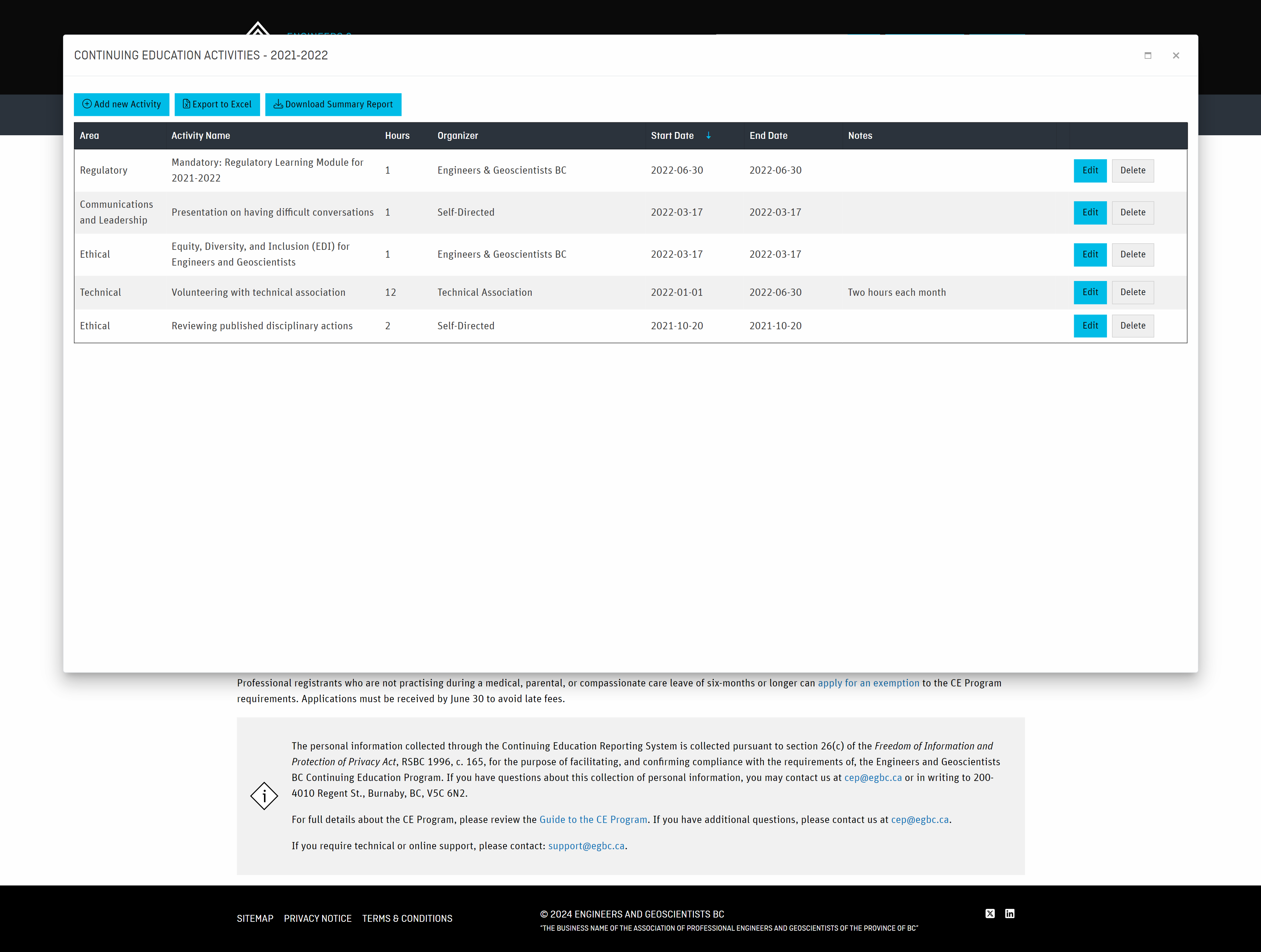
View Examples of Eligible CE ActivitiesNeed Help Recording Activities?
See our FAQs for:
- Which activities are eligible for CE hours
- How to estimate CE Hours
- How to record activities in the CE Reporting System
- Understanding the Three-Year Rolling Period
- Choosing the appropriate learning area for each activity
- How to record CE Hours from our Annual Conference and AGM
Click on the thumbnail images to view examples of CE activities recorded in the system and how the Three-Year Rolling Period works.
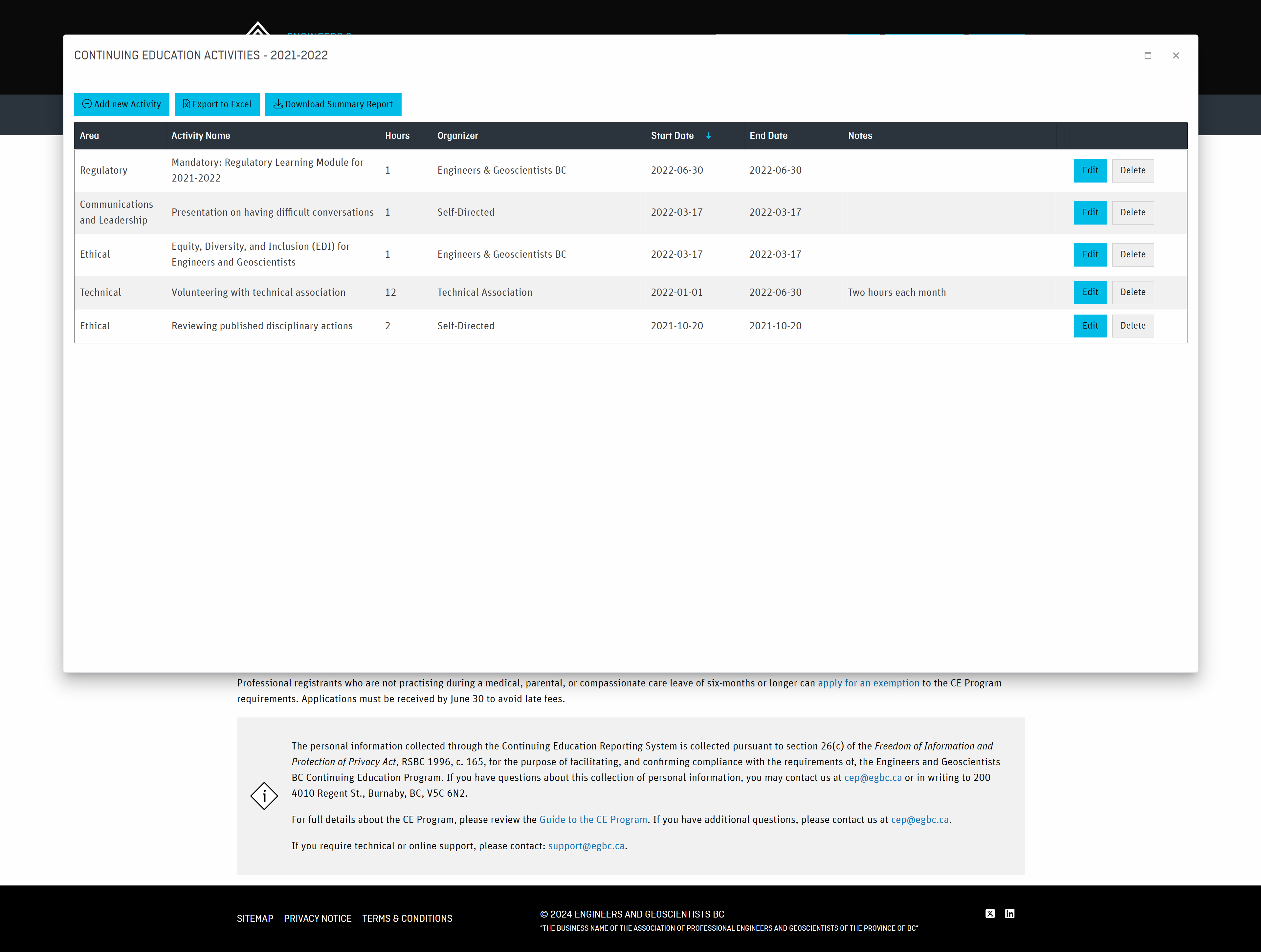
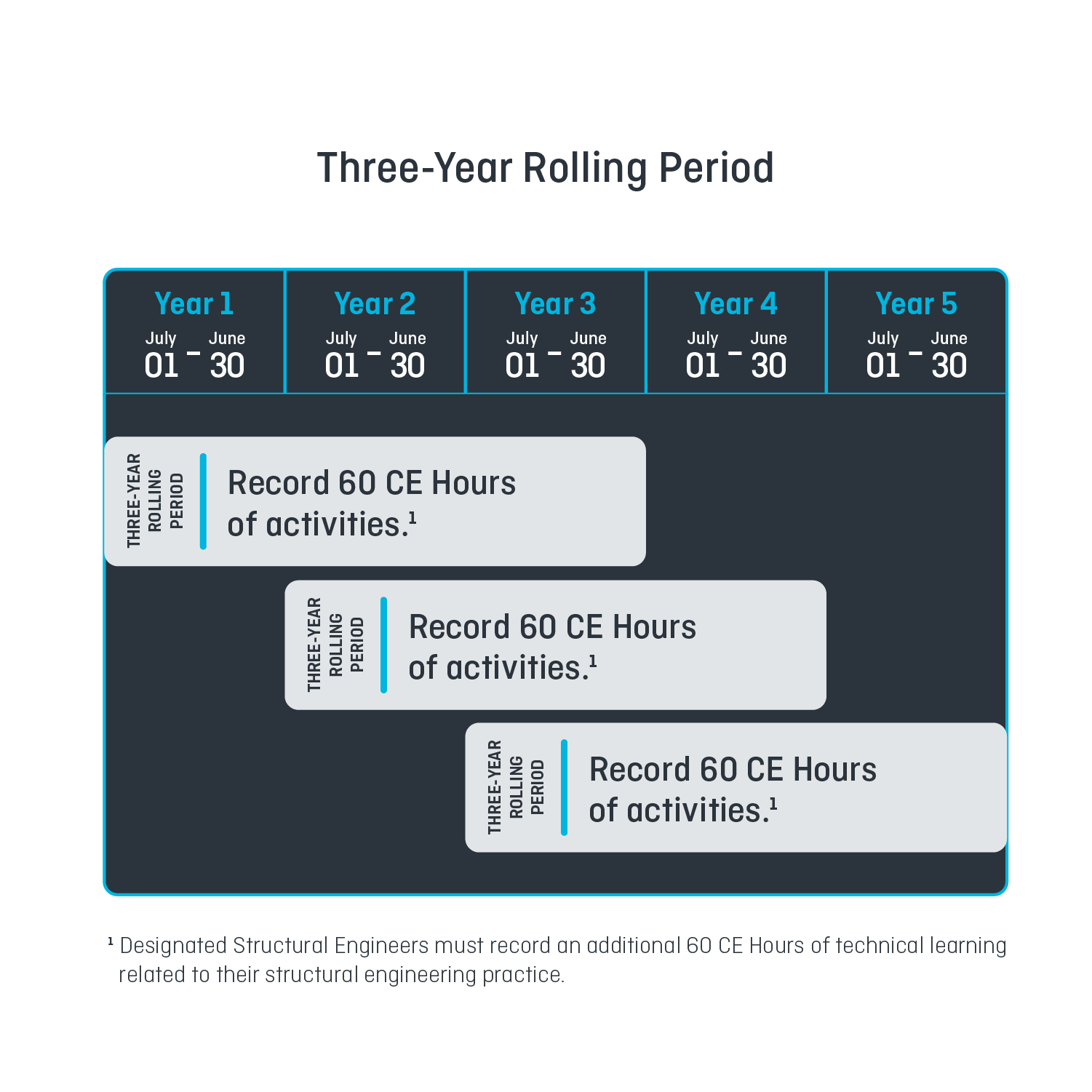
Click images to expandFor full details, consult the Guide to the Continuing Education Program.
-
5. Submit the Continuing Education Program Declaration
Requirement:
Between May 1 and June 30, practising registrants must submit their CE Declaration through the Annual Reporting System to close the reporting year.
You cannot submit your CE Declaration until all CE requirements have been completed.What You'll Do:
- Confirm that all CE requirements are complete
- Declare that you created a CE Plan during the reporting year
- Confirm that the information you’ve provided is accurate to the best of your knowledge
- Click “Submit” to officially close your reporting year. Once submitted, your CE Plan and CE Declaration will be marked as complete.
Important Deadline:
Submissions received after midnight on June 30 will be subject to a $200 late completion fee and may result in suspension or cancellation of your registration.How to Confirm Your Submission:
To confirm your Annual Reporting was successfully submitted:
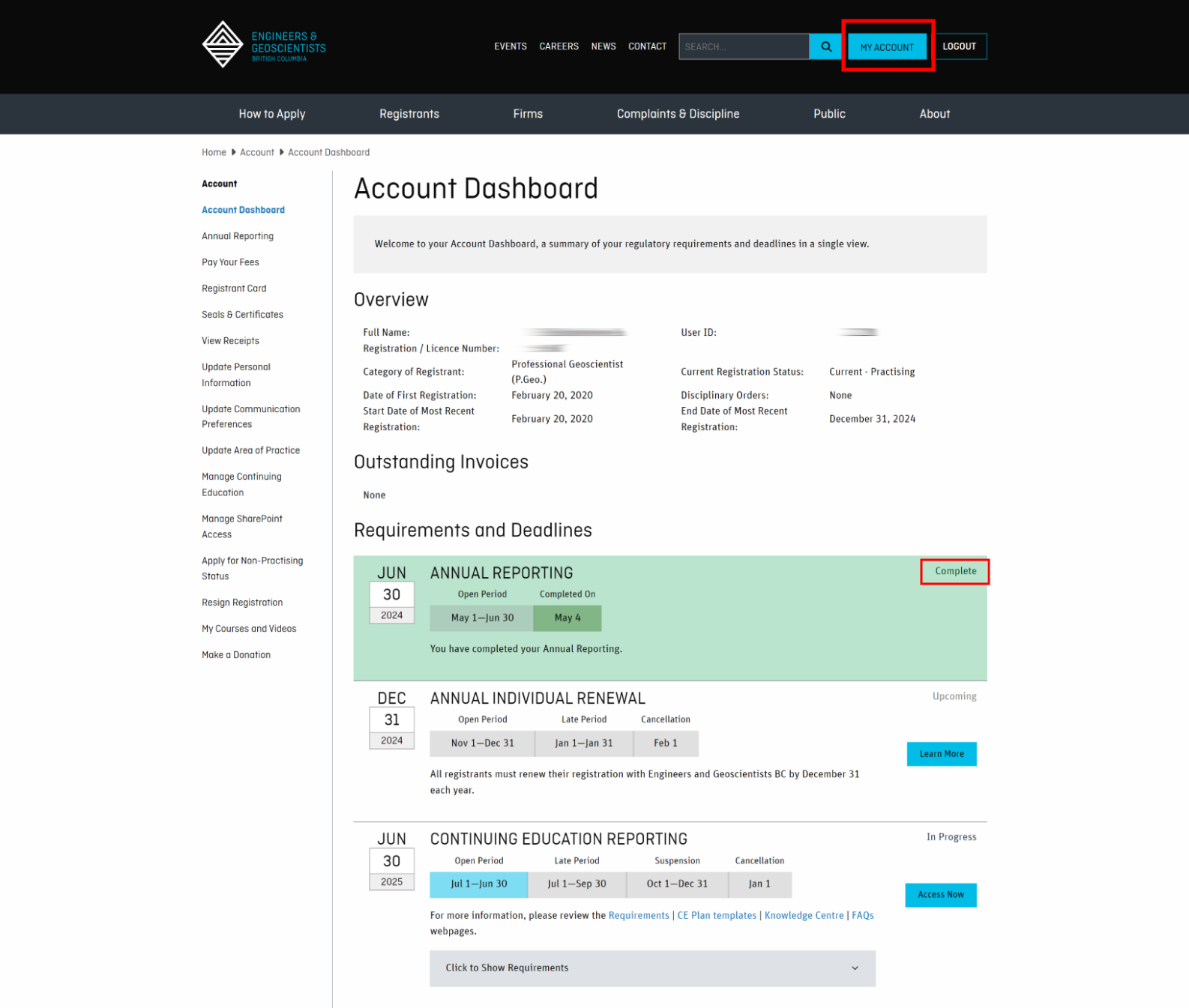
- Go to your Account Dashboard
- Check that the status shows “Completed” with a green background
- Look for a confirmation email with the submission date
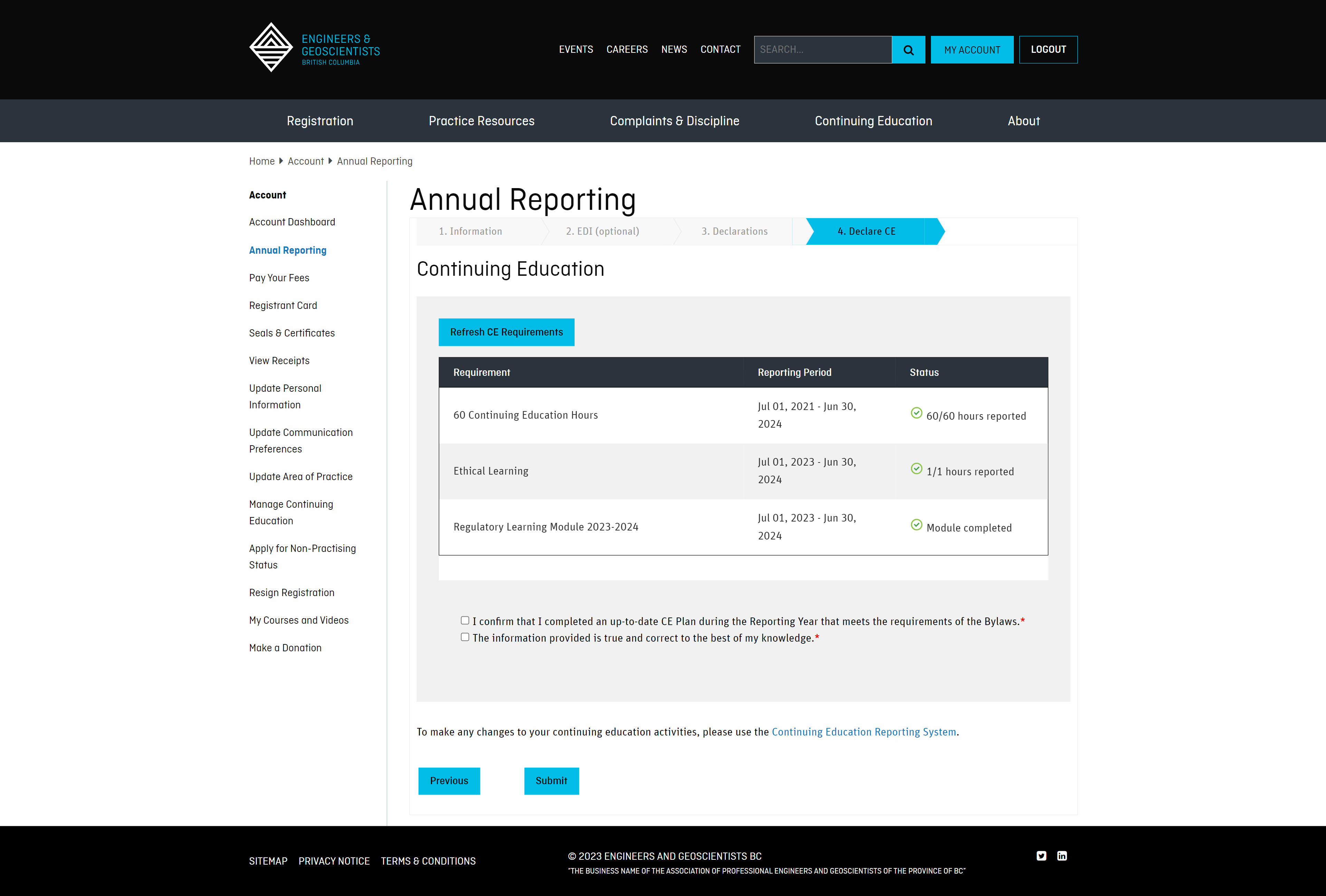
Click on the thumbnail images below to preview the CE Declaration step and what your dashboard will look like after submission.
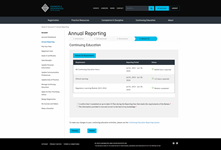
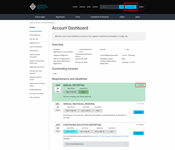
Click to expand images
Need Help?
Watch the video below for step-by-step guidance on how to submit your CE Declaration.
Visit our FAQs to learn more about:- What's the difference between the Continuing Education Program and Annual Reporting?
- What if I can’t meet my CE requirements?
- How do I return to good standing after a suspension?
For full details, consult the Guide to the Continuing Education Program.
Exemptions, New Registrants, and Struct.Eng.
-
Additional Requirements for Designated Structural Engineers (Struct.Eng.)
Requirement:
Registrants with the optional Struct.Eng. designation must complete an additional 60 CE Hours of technical learning related specifically to their structural engineering practice—bringing their total to 120 CE Hours over each three-year rolling period. These hours must be recorded in the CE Reporting System.
In addition, Designated Structural Engineers must also complete the annual requirements:
How to Record Technical Learning Activities:
- Go to your CE Reporting System.
- Click the blue “Add/Edit” button and select “Add New Activity.”
- Choose “Technical” as the Area of Learning.
- Check the box: “Apply this activity to my additional 60 CE Hours of technical learning required as a Struct.Eng.”
- Complete all required fields (marked with a red asterisk) and click Save.
Note: If you use the “Bulk Add Activities” tool, you must edit each activity afterward to apply it toward your Struct.Eng. requirement.
Need More Information?
For full details, consult the Guide to the Continuing Education Program.
-
Requirements for New Registrants
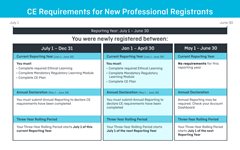
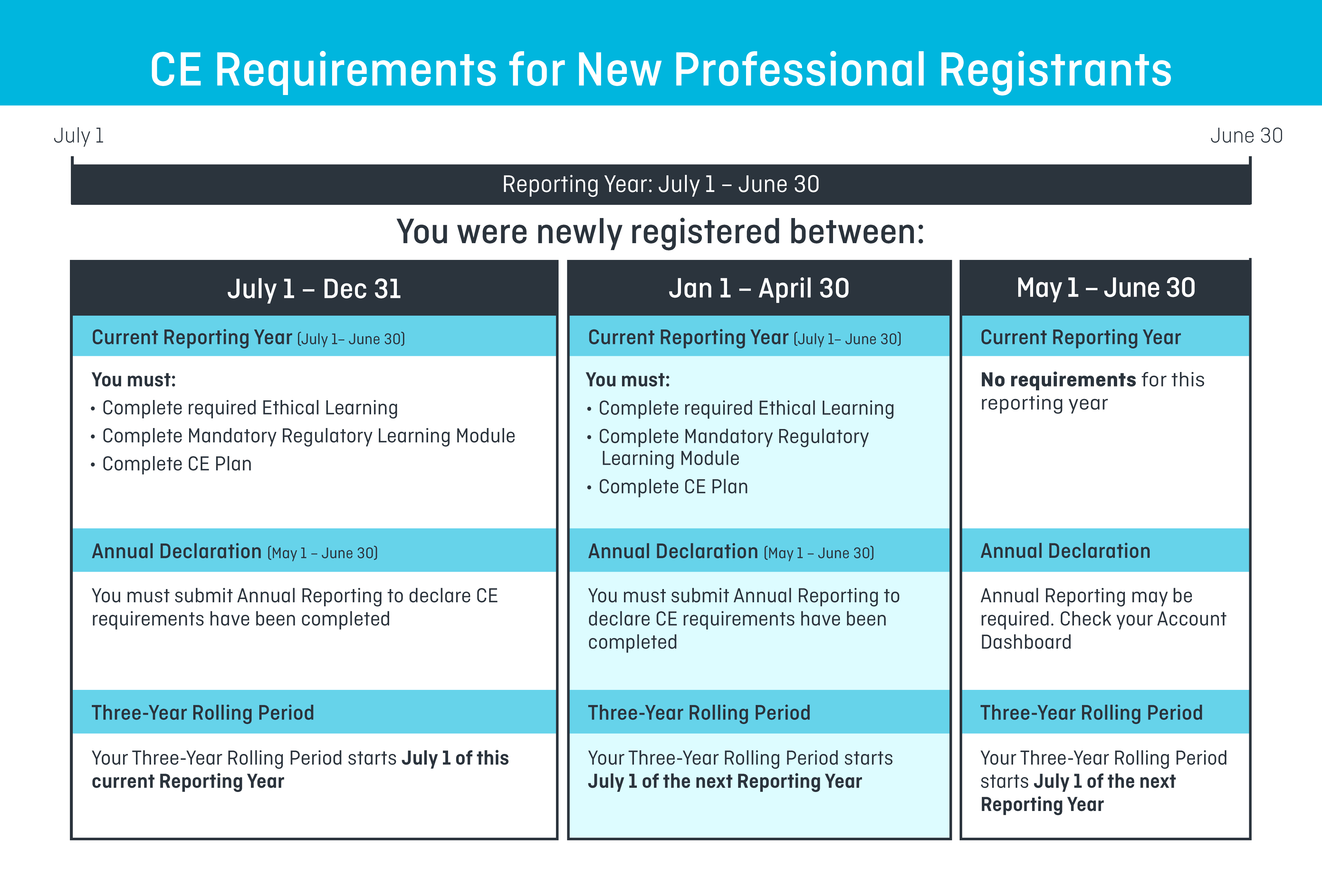
Your CE requirements depend on the date your licence was granted. Review the summary and examples in the images below, and check your Account Dashboard for a personalized list of your requirements and deadlines.
If your license was granted between July 1 and December 31:
- Complete the following by June 30:
- Submit your CE Declaration in the Annual Reporting System between May 1 and June 30.
- Your first three-year rolling period began on July 1 of the current reporting year.
- Begin recording CE activities now.
- You’ll declare 60 CE Hours at the end of your third reporting year.
If your license was granted between January 1 and April 30:
- Complete the following by June 30:
- Submit your CE Declaration in the Annual Reporting System between May 1 and June 30.
- Your first three-year rolling period will begin on July 1 of the next reporting year.
- Activities recorded during your first partial year will not count toward your 60 CE Hour requirement.
- You’ll declare 60 CE Hours at the end of your fourth reporting year.
If your license was granted between May 1 and June 30:
- You do not have any CE requirements for the current reporting year.
- You may still need to submit Annual Reporting between May 1 and June 30—check your Account Dashboard to confirm.
- Your first three-year rolling period will begin on July 1 of the next reporting year.
- Activities recorded during your first partial year will not count toward your 60 CE Hour requirement.
- You’ll declare 60 CE Hours at the end of your fourth reporting year.
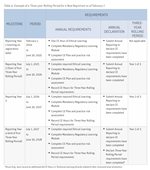
Click the thumbnail images to view:
- “Table 3: Summary of Requirements for New Registrants”
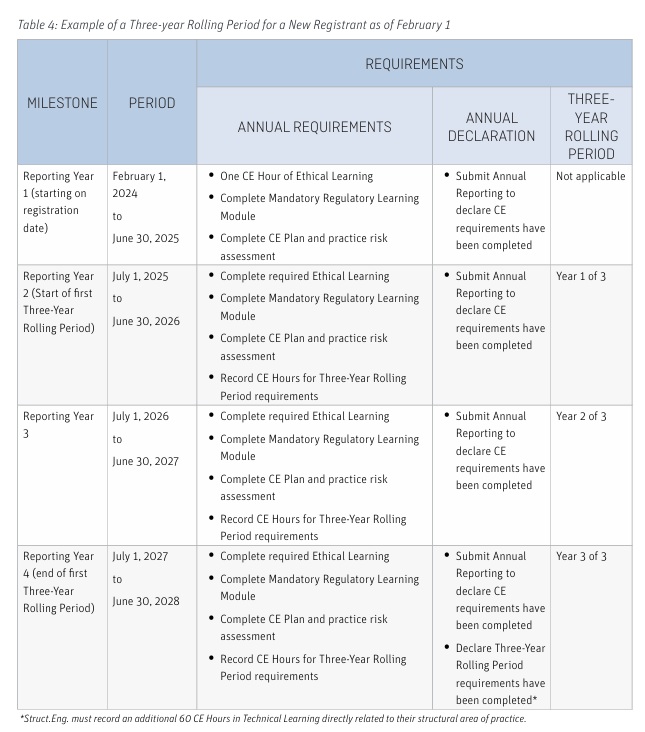
- “Table 4: Example of a Three-Year Rolling Period for a New Registrant as of February 1”
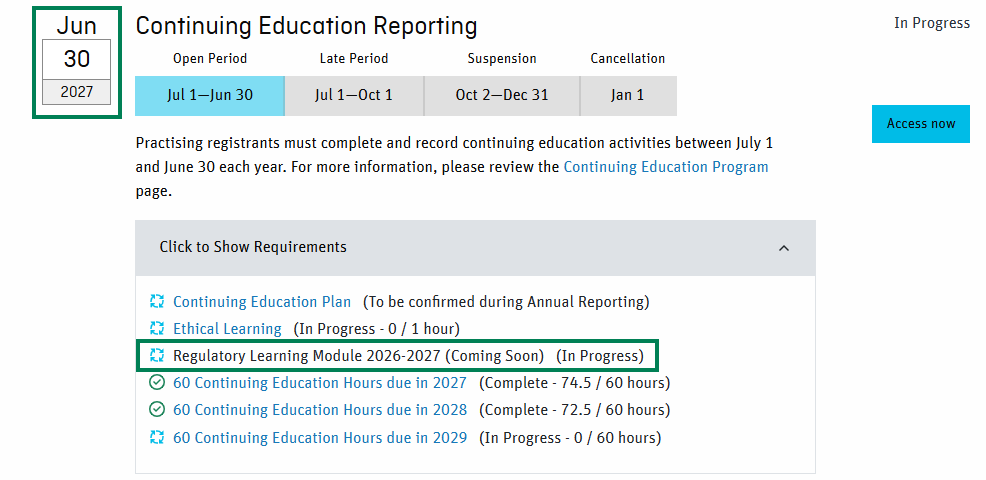
- A preview of the Account Dashboard for new registrants
Click images to expand
For full details, consult the Guide to the Continuing Education Program.
-
Requirements for Reinstated Registrants
Reinstatement is the application process for individuals who were previously registered with Engineers and Geoscientists BC and whose registration has lapsed, been cancelled, or was voluntarily resigned.
If You Reinstated in Category 1:
- You are required to complete:
- Any missed CE requirements during the lapse period
- Any incomplete or overdue CE requirements from before your licence ended
- Your CE requirements—including your Three-Year Rolling Period—will continue from your previous licence.
- You can review your specific requirements in your Account Dashboard.
If You Reinstated in Category 2, 3, 4, or 5:
- Your CE requirements will follow the new registrant policies.
- You are not required to complete CE activities that were missed, incomplete, or overdue from your previous registration.
For full details, consult the Guide to the Continuing Education Program.
- You are required to complete:
-
Exemptions for Parental, Medical, or Compassionate Care Leave
If you are on a leave of absence from practice for 6 to 18 months, you may be eligible for an exemption from certain Continuing Education (CE) Program requirements.
Apply Online: Review the eligibility criteria and submit your application using the online application form.
What the Exemption Covers:
If your application is approved:
- The following requirements will be waived for one reporting year:
- 1 CE Hour of ethical learning
- Regulatory Learning Module
- CE Plan
- Your Three-Year Rolling Period requirement will be reduced by 10 to 30 CE Hours, depending on the length of your leave.
Note: Even with an approved exemption, you must still submit your Annual Reporting between May 1 and June 30.
Application Timing:
- Applications are accepted any time during the reporting year (July 1 to June 30).
- Late applications (submitted after June 30) will be subject to a $200 late completion fee.
Stay Connected During Leave
To ensure you receive important updates while on leave, please update your preferred email to your “Home” email in your account settings.
For full details, consult the Guide to the Continuing Education Program.
- The following requirements will be waived for one reporting year:
Record your CE Activities
The Continuing Education Reporting System is where continuing education activities are recorded, and your progress is reviewed.
Access Your CE Reporting System
Options for Fulfilling Your CE Hours
Many examples of continuing education opportunities that fulfill the 60 CE Hour and ethical learning requirements are listed on our Continuing Education Resources page.
CE and Annual Reporting: How-To Videos
This video playlist walks you through the various processes for completing your Continuing Education and Annual Reporting requirements.
Contact Us
For further inquiries, please contact [email protected] or leave a voicemail at 236.521.9154.